

In every major project, communication is the bridge between insight and action. Yet across the industry, reporting remains one of the biggest sources of inefficiency and misunderstanding.
Project controls teams spend hours compiling data, formatting slide decks, and manually updating dashboards. By the time reports are circulated, the information is already outdated. Decisions are made on old data, and actions lag behind reality.
It is not the lack of information that slows projects down, it’s the lack of real-time, reliable communication.
That’s why Assurance Reporting has become the final, crucial pillar of schedule assurance maturity.
What Assurance Reporting Means in Scheduling
Assurance Reporting is how project intelligence reaches decision-makers. It’s the process of turning data from the schedule, risk models, and performance systems into insights that teams can act on.
In simple terms, it’s how assurance becomes visible.
Effective reporting combines three elements:
- Accuracy: insights drawn from verified, high-quality data
- Timeliness: information delivered when it matters most
- Clarity: narratives and visuals that help teams interpret what the data means
When assurance reporting works, project leaders can see the health of their projects at a glance. When it doesn’t, they’re forced to rely on gut instinct and fragmented updates.
Why Assurance Reporting Matters
Most organizations still treat reporting as a deliverable rather than a process. Reports are produced manually, using outdated data and inconsistent formats.
The results are predictable:
- Inconsistent visibility. Every team reports differently, creating confusion and duplication.
- Lagging insights. Data collection and formatting delay the delivery of critical information.
- Reactive management. Decisions are made on last week’s progress instead of today’s reality.
- Lost trust. Leadership questions whether the reports reflect the truth on the ground.
The cost of poor reporting isn’t just time, it’s clarity. Without trusted, timely insight, teams can’t coordinate effectively, and assurance loses its impact.
In contrast, organizations that automate and standardize their reporting processes unlock a new level of assurance and efficiency.
What the Industry Is Doing Today

Most organizations operate at Level 2: Cloud Reporting.
They use shared platforms like Power BI or SharePoint to circulate reports, but the process is still manual. Teams collect data, run exports, and build dashboards by hand. Reports are often static and quickly outdated.
A typical process looks like this:
- Sharing Gantt charts and progress updates manually
- Creating recurring but generic reports for leadership
- Distributing static files via email or internal drives
This approach provides surface-level visibility but lacks agility. Everyone receives the same report, regardless of role or responsibility, and by the time it’s read, conditions have already changed.
What Leading Organizations Are Doing Instead
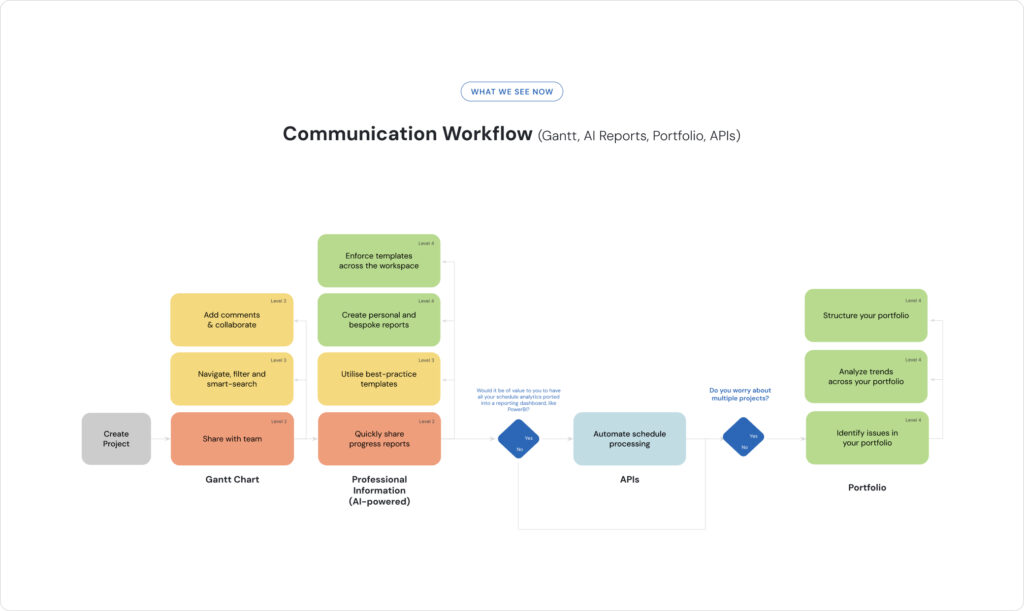
Leading organizations have moved beyond manual reporting to create connected, automated assurance ecosystems that distribute intelligence instantly across teams and portfolios.
Here’s what that looks like in practice:
- Tailored, dynamic reports. Automated dashboards update in real time for each stakeholder.
- Standardized templates. Consistent design and metrics across all projects.
- Collaboration built in. Teams can comment, filter, and drill down directly in the platform.
- AI-powered insights. Key risks, delays, and variances are automatically highlighted.
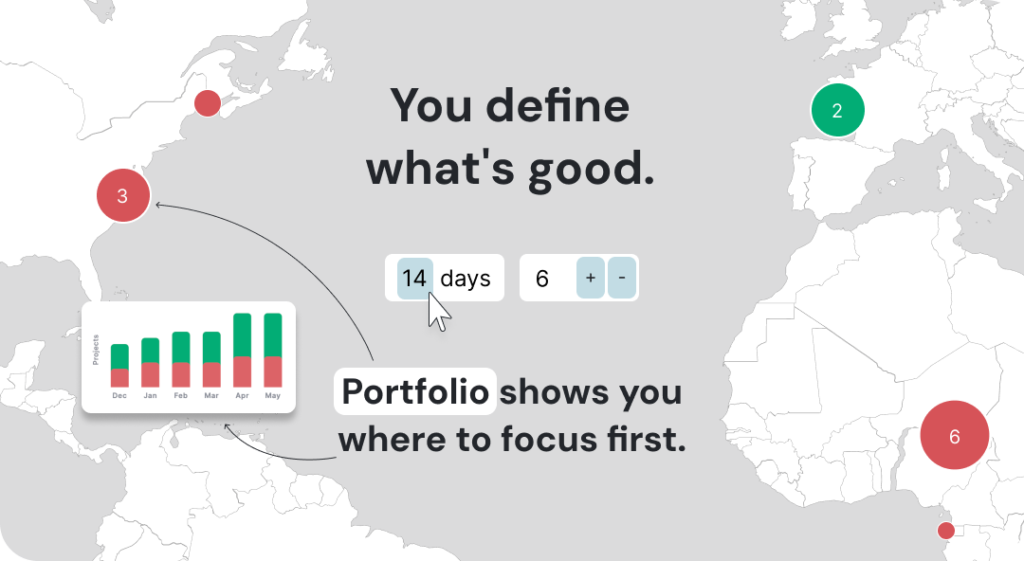
- Portfolio-level visibility. Executives see trends and correlations across multiple programs.
This shift transforms reporting from a periodic activity into a live communication channel. Assurance data becomes available to everyone who needs it: continuously, accurately, and without rework.
Proof in Practice: EDF Nuclear Reactor Project
The EDF Nuclear Reactor project, delivered with Costain as the Project Management Consultant, demonstrates how automated assurance reporting can redefine project communication.
By integrating Nodes & Links into their workflow, the team achieved:
- Daily, AI-generated progress reports tailored to each stakeholder
- Two hours of manual work reduced to two minutes
- Instant visibility of performance metrics, trends, and key risks across teams
As Adrian Millsted, Senior Planning Engineer at Costain, described:
“Like for like, two hours of work becomes two minutes. As a by-product we are able to produce insights we never would have been able to.”
Using AI-assisted report generation, Costain’s planners could focus on interpretation instead of data collection. Reports reached executive leadership within hours, not days, giving EDF real-time confidence in delivery.
As Robert Jefferies, Senior Planning Engineer at Costain, summarized:
“This product is a boon for project managers as it provides an easily digestible set of information which provides great insight into a variety of aspects of the project lifecycle and delivery.”
This case shows how automation turns assurance reporting from a chore into a competitive advantage.
The Levels of Maturity in Assurance Reporting
The Assurance Reporting Maturity Ladder defines how organizations evolve from offline reporting to intelligent, real-time assurance.
| Level | Description | Typical Risk Exposure |
|---|---|---|
| 1. Offline Reporting | Insights ad-hoc and inconsistent; actions reactive. | Extreme — visibility poor |
| 2. Cloud Reporting | Reports shared periodically but generic and outdated. | High — noise hides critical issues |
| 3. Assurance Automation | Automated, recurring reports tailored to roles. | Moderate — limited agility |
| 4. Assurance Personalization | Self-service reports; insights tailored to individuals. | Low — decisions informed but rely on human coordination |
| 5. Assurance Intelligence | AI-driven insights pushed in real time; assurance drives action. | Very Low — proactive, synchronized performance gains |
The step from Level 2 to Level 4 alone can cut reporting cycle times by 90 percent, while enabling faster, more confident decisions at every level.
The Benefit of Moving Up the Ladder
When Assurance Reporting becomes intelligent and integrated, organizations gain:
- Speed. AI automates data processing and report generation.
- Clarity. Insights are standardized and tailored to the audience.
- Transparency. Everyone operates from a shared version of truth.
- Confidence. Real-time reports enable evidence-based decisions.
- Learning. Continuous feedback improves processes and outcomes.
In the EDF × Costain example, automation didn’t just improve reporting, it improved collaboration. Data moved seamlessly from planner to executive, ensuring everyone saw the same story at the same time.
Where Does Your Organization Stand?
Understanding your current level of assurance reporting maturity is the first step toward transforming how you communicate across projects.
You’ll discover where your organization stands today and how to progress toward automated, AI-powered communication that drives confidence and performance.