
Most project problems are not hidden. They are just never looked for. No one had the time, no one had the prompt, and by the time the issue surfaced in a meeting or a report, the options for dealing with it had already narrowed.
That is the problem Insights is built to solve.
The Cold Start Problem of AI
AI Mode changed how project teams interact with their schedule data. Instead of waiting for a report, you could ask a question in plain language and get a credible, expert-level answer in seconds.
But there is a catch that anyone who has used an AI tool will recognise: you only get answers to the questions you think to ask. If you do not know what to look for, you do not know where to start.
This is the cold start problem of AI, and it is particularly acute in project controls, where the most consequential issues are often the ones no one thought to check on.
Where Insights Fits Into Your Workflow
Insights lives inside AI Mode, alongside Autopilot, giving you three distinct ways to work with your schedule data:
- AI Mode asks your project questions in plain language and get answers that draw on schedule, change, and risk analysis together. Ready to review, share, or turn into a report.
Autopilot allows you to set the triggers that matter to your project (a new schedule upload, an integrity score below threshold, a QSRA run completed) and it delivers the analysis to every stakeholder who needs it, without anyone having to ask.
Insights tells you what you should be looking at, every time your schedule is updated, generating the questions your team should be asking so nothing important goes unnoticed.
The distinction between Autopilot and Insights is worth understanding. Autopilot delivers intelligence based on triggers you define. Insights builds the picture for you, catching what you did not know to look for, at the right time.
The Questions You Didn't Know to Ask
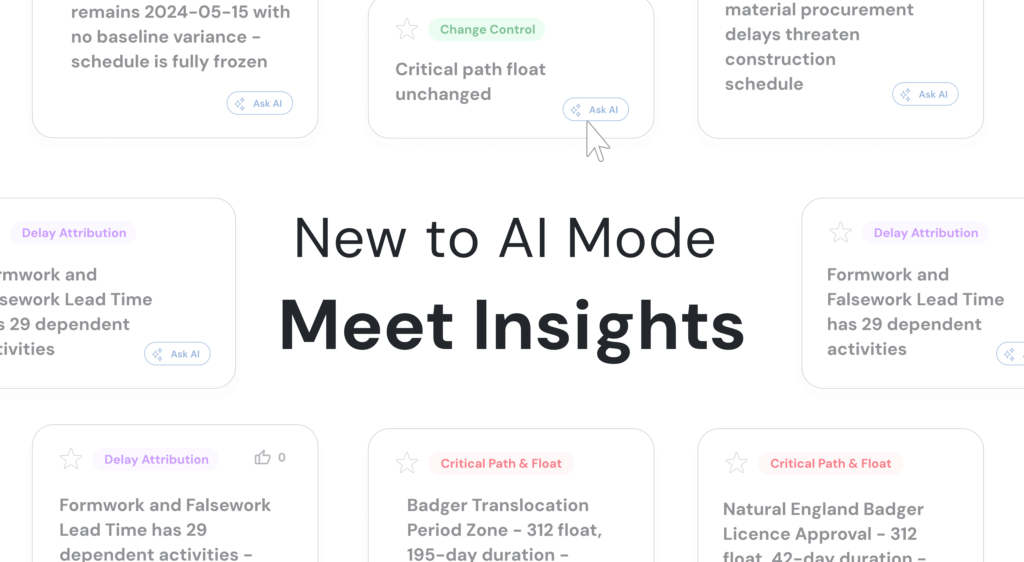
When a new schedule version is uploaded, Insights generates findings across five categories: risk, delays, critical path, progress, and health. You can personalise which topics matter most to your project, choosing from progress integrity, delay attribution, critical path and float, and change control.
Each finding is presented as a clear, actionable question rather than a raw data point. That distinction matters. A data point tells you something happened. A well-formed question tells you what to do with it.
Talk to your project. Click into any insight and start a pre-seeded AI conversation with your schedule. The question is already framed, the context is already loaded, and the deeper analysis is one click away. No blank prompt, no guessing where to start.
Team Board. When you find something the whole team needs to act on, share it to the Team Board in a single action. The whole project team sees it, can react to it, and can build a collective picture of what deserves attention. No report to write, no email to forward.
Insights Chat. Every conversation is archived and searchable. When a question comes up in a steering meeting that you know you looked into last month, the answer is already saved and waiting.
Why This Matters for Project Delivery
The teams that consistently deliver on time are not the ones with fewer problems. They are the ones who see problems earlier, when there are still options on the table.
Insights shifts the question from “what went wrong?” to “what should we be asking right now?” That shift, from reactive to proactive, from individual to collective, is where the real value of schedule intelligence lies.
For the first time, that intelligence is not locked in the schedule file or in the head of the most experienced planner on the team. It is in front of everyone who needs to act on it, every time the schedule is updated.
Insights is live now in Nodes & Links. Toggle on AI Mode, and head to Insights in your left-hand navigation to get started.