

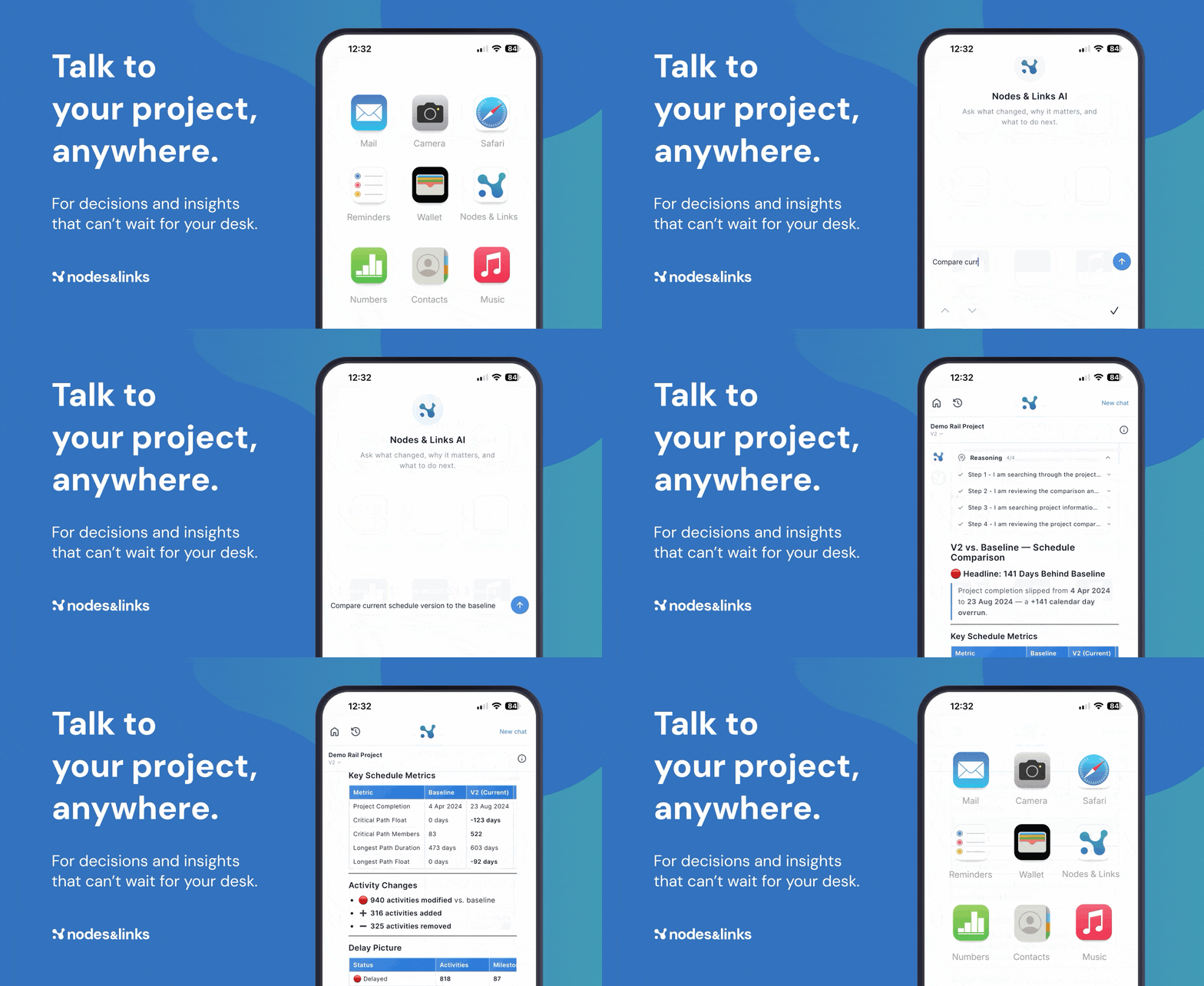
Someone on site, in a client review, or mid-steering group asks a schedule question, and the answer is “let me check when I’m back at my desk.” For quick questions, that wait shouldn’t be necessary.
Nodes & Links now goes with you for exactly those moments in the field.
Closing the last mile of the loop
We’ve talked before about Field-to-Board AI, the connected loop that takes field reality from site capture through to schedule intelligence in hours rather than weeks. That loop already closes the gap between what’s happening on site and what the schedule says. Mobile access closes the final piece: getting that insight into someone’s hands the moment it’s ready, wherever they are.
Platform mode and your other analysis tools handle deep work at a desk. Mobile handles the quick checks that come up during a project: what’s driving a delay, where float stands, whether a critical path has shifted.
Ask in plain English, and get an answer backed by auditable decision intelligence in seconds, from your phone.
How it works
No app store, no install. Add Nodes & Links to your homescreen from your browser, and it opens like any other app. Updates roll out instantly, with nothing for IT to approve.
- iOS: Safari > Share icon > Add to Home Screen
- Android: Chrome > menu > Add to Home screen
- Tap the icon, log in
- Ask your question and see the reasoning behind the answer
What it looks like in practice
Before a meeting, pull up the latest position on a package while you’re still walking to the room, so you’re not answering questions cold. On site, a stakeholder asks about a delay, and you get a traceable answer on the spot instead of promising a follow-up. In a hallway conversation with a client, a question about float comes up, and you check it, and see how the answer was reached, there and then.
One of our customers put it well: getting that level of insight used to take senior schedulers two days of work, now anyone can get it in seconds. Mobile access takes that a step further. Anyone on the project with access can open Nodes & Links on their phone and ask their own questions, so insight isn’t bottlenecked through whoever happens to be at a desk that day.
Head to app.nodeslinks.com on your phone and add it to your homescreen.